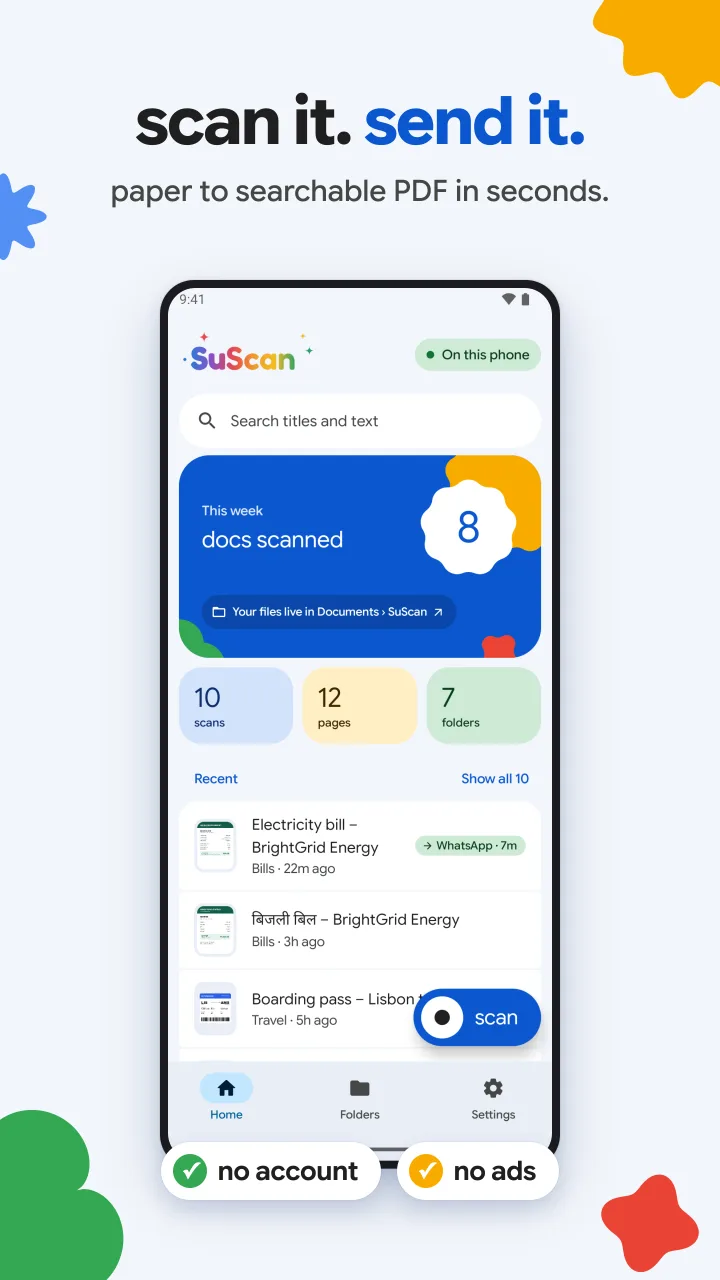
SuScan is a document scanner that turns paper into clean, searchable PDFs. Point, scan, send. No account, no sign-up, no ads, and your scans stay on your phone.
Take a look
What it does
📄
Scan to PDF in seconds
Sharp scans with automatic edge detection, cropping and clean-up
Scan several pages in one go, or turn images from your gallery into a PDF
Open straight to the camera from a Quick Settings tile or a home screen shortcut
A document scanner for bills, receipts, ID cards, notes, forms, contracts and school work
✨
It names itself
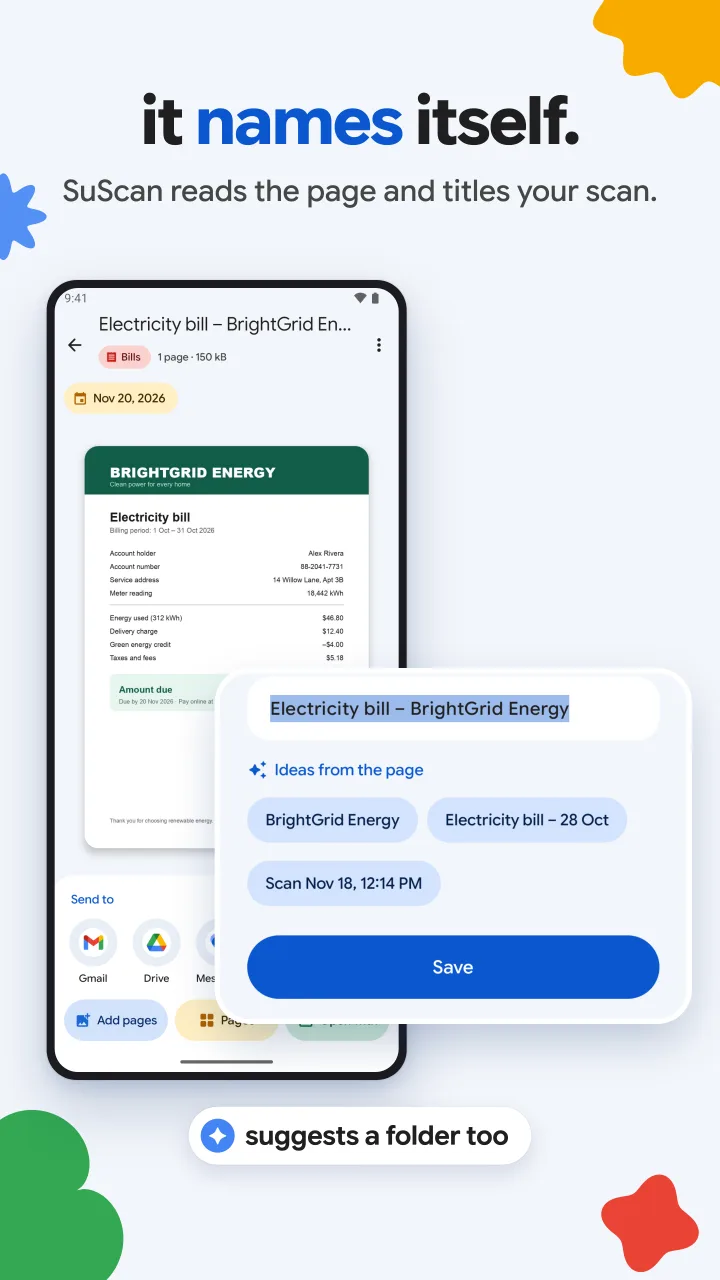
SuScan reads the page and names your scan for you, for example "Invoice – Northwind Traders"
Not quite right? Tap one of its other title ideas, or type your own
SuScan suggests the right folder too, like Bills for an invoice
🔎
Every PDF is searchable
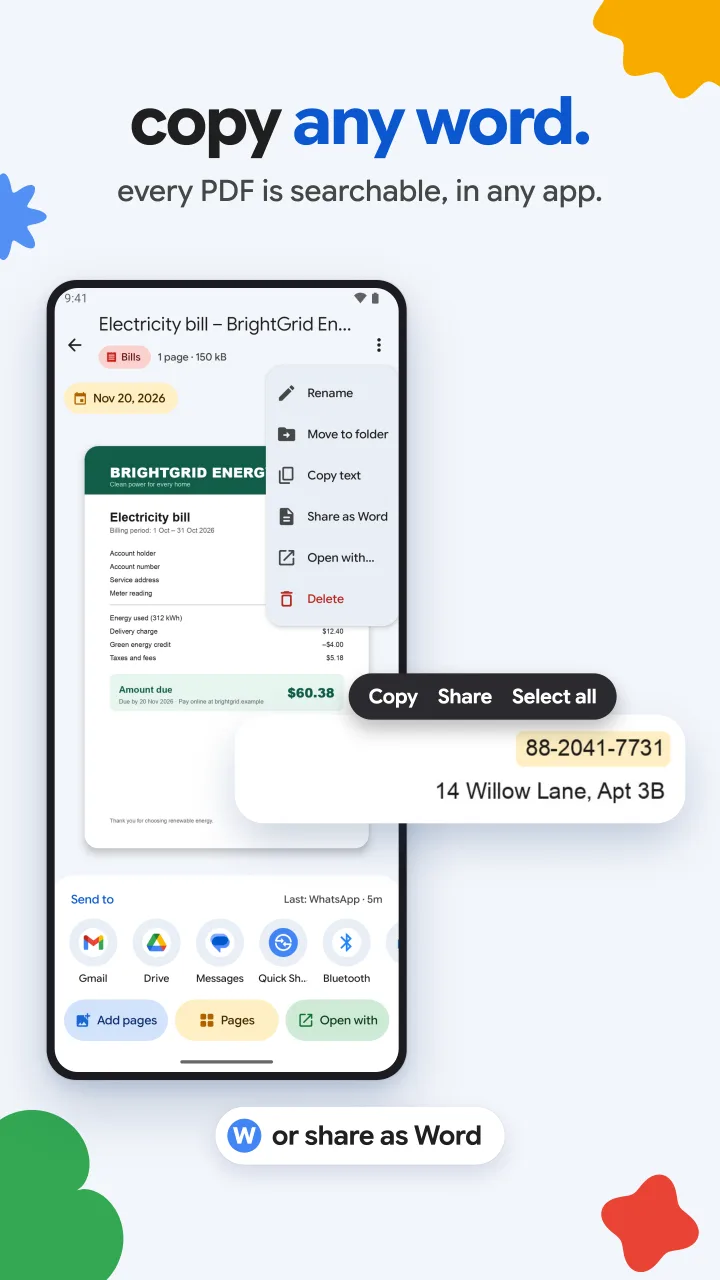
SuScan adds an invisible OCR text layer, so every PDF it makes is a searchable PDF
Select, copy or search the words in any app: WhatsApp, Drive, Gmail or your PDF reader
Search inside all your scans from SuScan, not just their titles
Copy all the text from a scan in one tap, to paste an account number or address anywhere
Share a scan as an editable Word (.docx) document. You get the text, not the original layout
🌍
Reads your language
OCR for English, Hindi, Marathi, Nepali, Chinese, Japanese and Korean
Pick yours in Settings › Languages
SuScan reads your pages on your phone
📞
Tap to call or email
SuScan spots phone numbers, emails, links and dates on a scan
Tap one to call, write an email, open the link or add the date to your calendar
📤
Send in one tap
The apps you use most come first: WhatsApp, Gmail, Drive and more
Open in Acrobat, Drive or any other PDF app to annotate or sign
Choose a smaller PDF size for WhatsApp and email
✏️
Edit pages any time
Add more pages to a scan later
Reorder pages or delete one, with no loss in quality
🗂️
Your PDFs, in your Files app
Colourful folders for bills, IDs, school, work and travel
Every PDF is a real file in Documents › SuScan, so you can also find it in your Files app
🔒
Private by design
No account. No ads. No sign-up. No watermarks on your PDFs.
Your scans stay on your phone. SuScan doesn't upload them anywhere
SuScan is free. It's a simple PDF scanner built to do one thing well: get paper into a PDF and on its way.